Make your AI agent state its assumptions
AI agents invent plausible premises and write confident code on top of them. Here is the config rule that forces the assumptions into the file first.
— THE BLOG
Linux workflows, scientific computing alongside AI, small open-source tools, and notes from the PhD. Posts arrive when they're ready, not on a schedule.
AI agents invent plausible premises and write confident code on top of them. Here is the config rule that forces the assumptions into the file first.
A documented rule your AI coding agent keeps overlooking is a rule you should make executable. Here is why a lint-style hook on every edit fixes it for good.
The more work I hand to AI agents, the more notepads I use up. On the bottleneck moving from doing to deciding, and how paper became the overflow buffer.
Two plain-text files and a session-end ritual let a fresh Claude Code session pick up weeks-long research work in minutes, with nothing re-explained.
Seven copies of one formula, a refactor gated on bit-identical output, and the floating-point fact that (a*b)*c and a*(b*c) are different numbers.
I built one blog-writing system for four websites in an afternoon. The bottleneck was never writing, it was that every side project's blog dies after post two.
A GPU kernel test stayed green for months while proving nothing. On out-of-bounds reads that return garbage, and why test order is worth fuzzing.
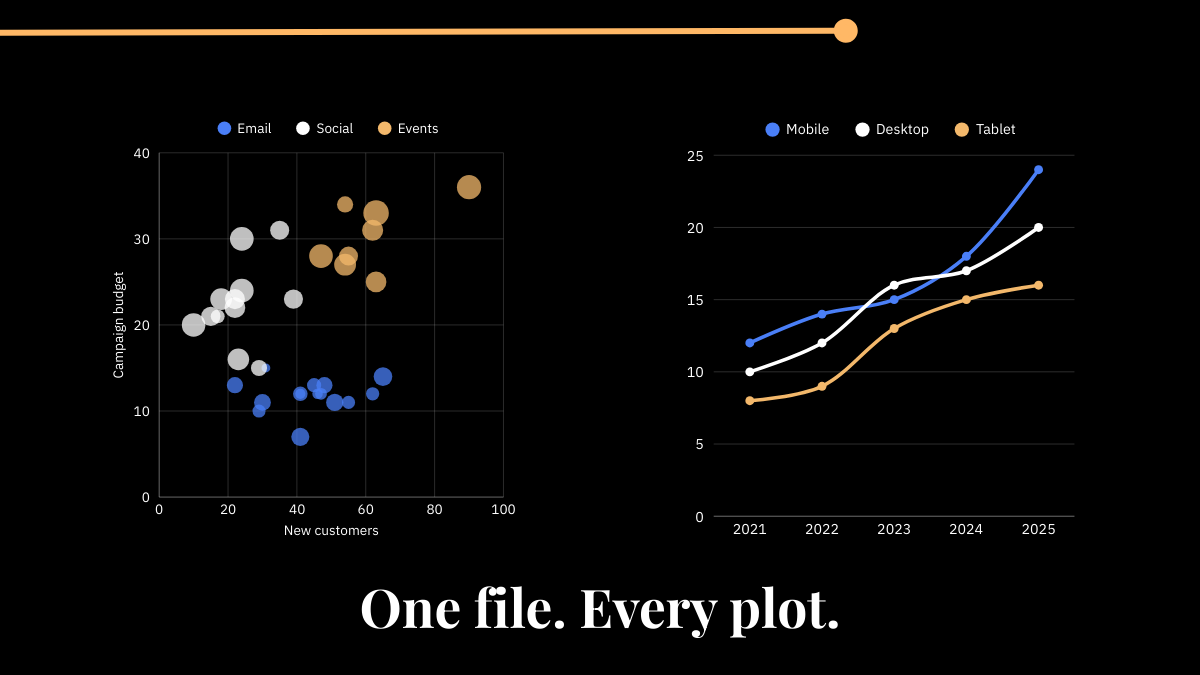
Stop copy-pasting plot styling code across every script. Here's how to extract your theme into a single shared file - whether you're working in Julia, Python, or R.
I started my Linux journey on a distro that used Wayland by default.At the time, I didn’t know what X11 even was, and honestly, I didn’t care. Everything just worked.
I felt like I was constantly asking:“Where do people actually learn this stuff?”

Have you ever connected a 4K and a 1080p monitor to your Linux system and noticed apps look… weird? Maybe one window is way too tiny, while another looks blurry or stretched out of proportion?
It turns out, Wayland’s lack of network transparency has made remote desktop on Linux a bit more complicated, but don’t worry—we have some solid solutions!
If you've ever felt overwhelmed by the sheer complexity of learning something new—especially something as seemingly intimidating as starting with Linux—then you're definitely not alone.
Hi everyone! 👋 I’m Julia Frank, and I’m thrilled to welcome you to my blog. This space is where I’ll be sharing my experiences, insights, and sometimes, my struggles, as I navigate the fascinating wo…